
Authentication methods
maXzie offers three different options for authenticating end users:
- Internal authentication using maXzie
- OpenID Connect / Microsoft Entra ID
- LDAPS / Active Directory
Internal authentication using maXzie
Section titled “Internal authentication using maXzie”The end users are authenticated exclusively via passwords that can be entered in the core data of the respective employees in maXzie.
OpenID Connect / Microsoft Entra ID
Section titled “OpenID Connect / Microsoft Entra ID”End users are authenticated using an OpenID Connect compliant identity provider. A very popular option is Microsoft Entra ID, formerly known as Azure Active Directory / Azure AD.
The connection to maXzie is easy to implement. For this, the customer has to register maXzie as an application with their identity provider. The process is shown here for Entra ID.
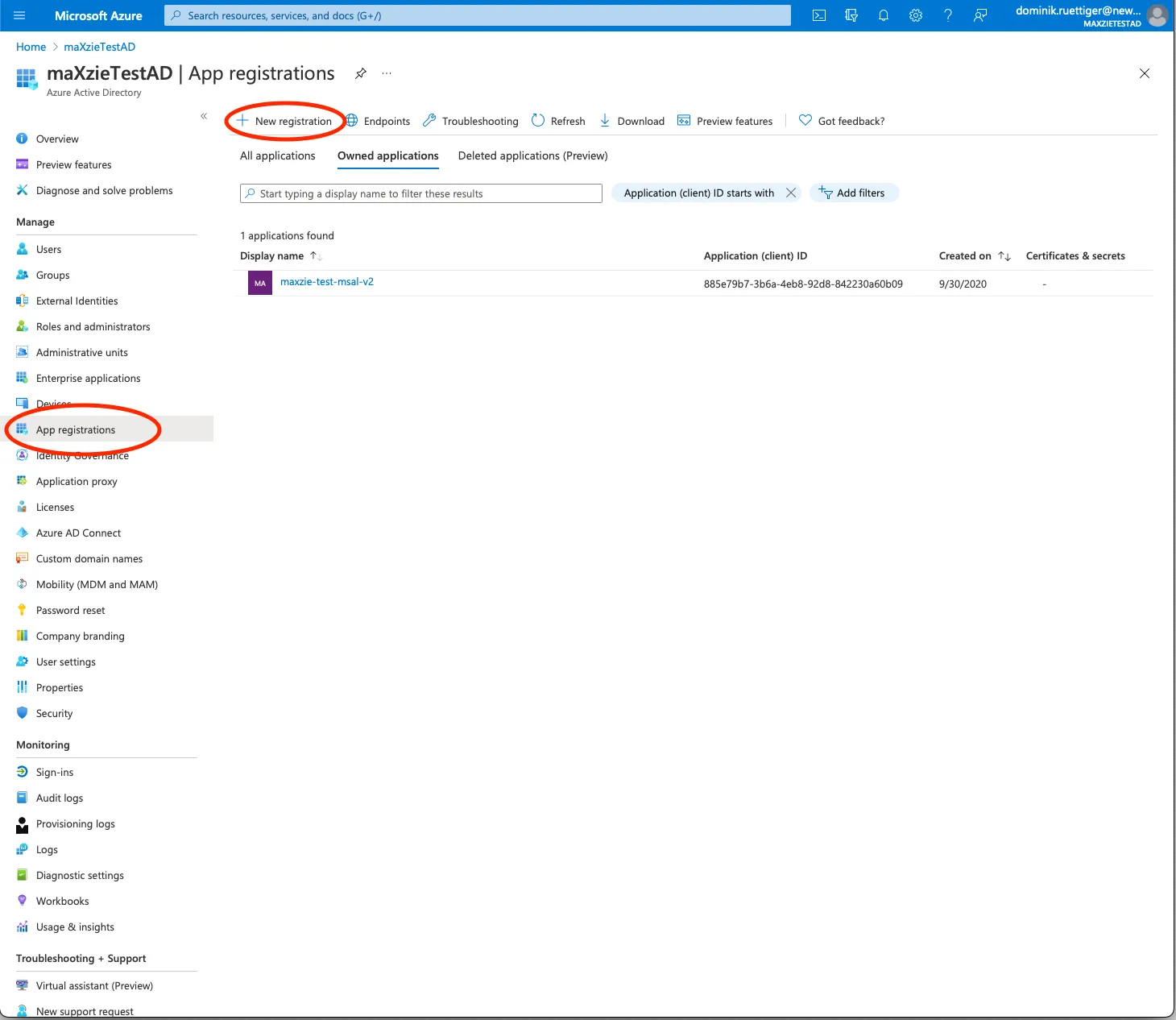
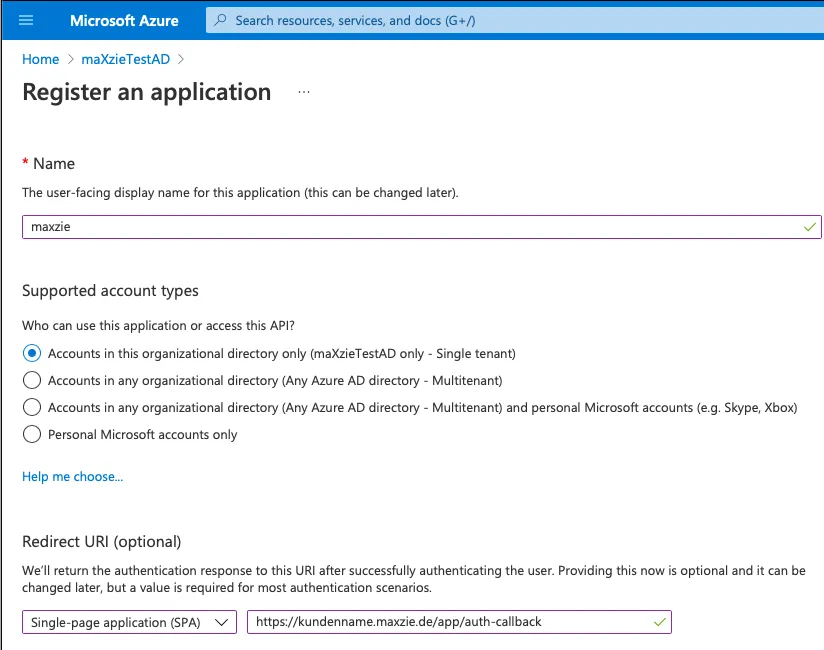
The name can be chosen freely. Single tenant should be selected as the Supported account type. The RedirectUri
https://<MAXZIE_URL>/app/auth-callback must be entered for the app. To do this, Single-page application (SPA) must
be selected as the Platform.
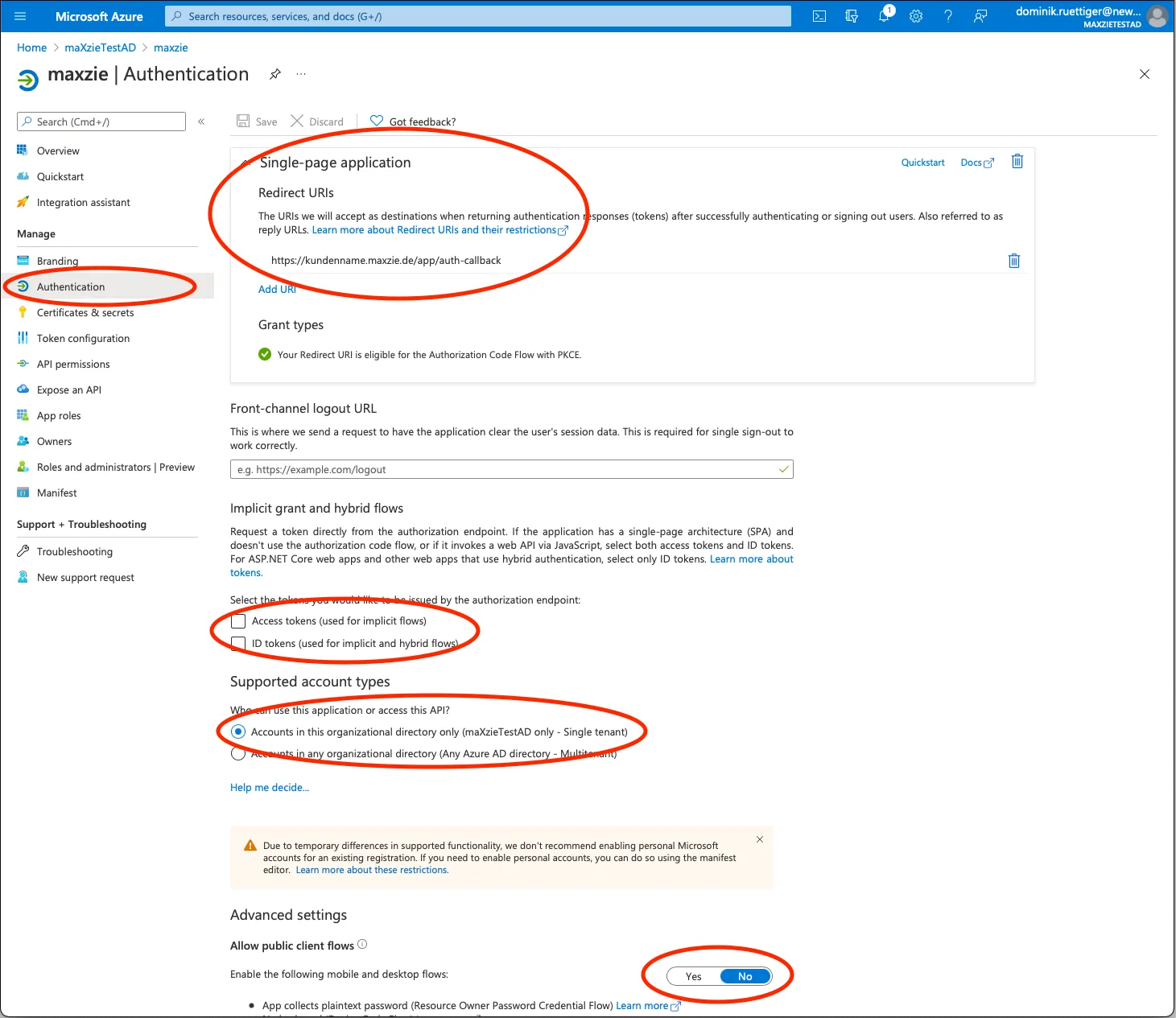
In the new app registration created in Entra ID, we recommend checking the default settings on the Authentication
subpage. In particular, in the Implicit Grant section, the checkmarks for Access tokens and ID tokens should not
be checked. The Public client flow should also be disabled.
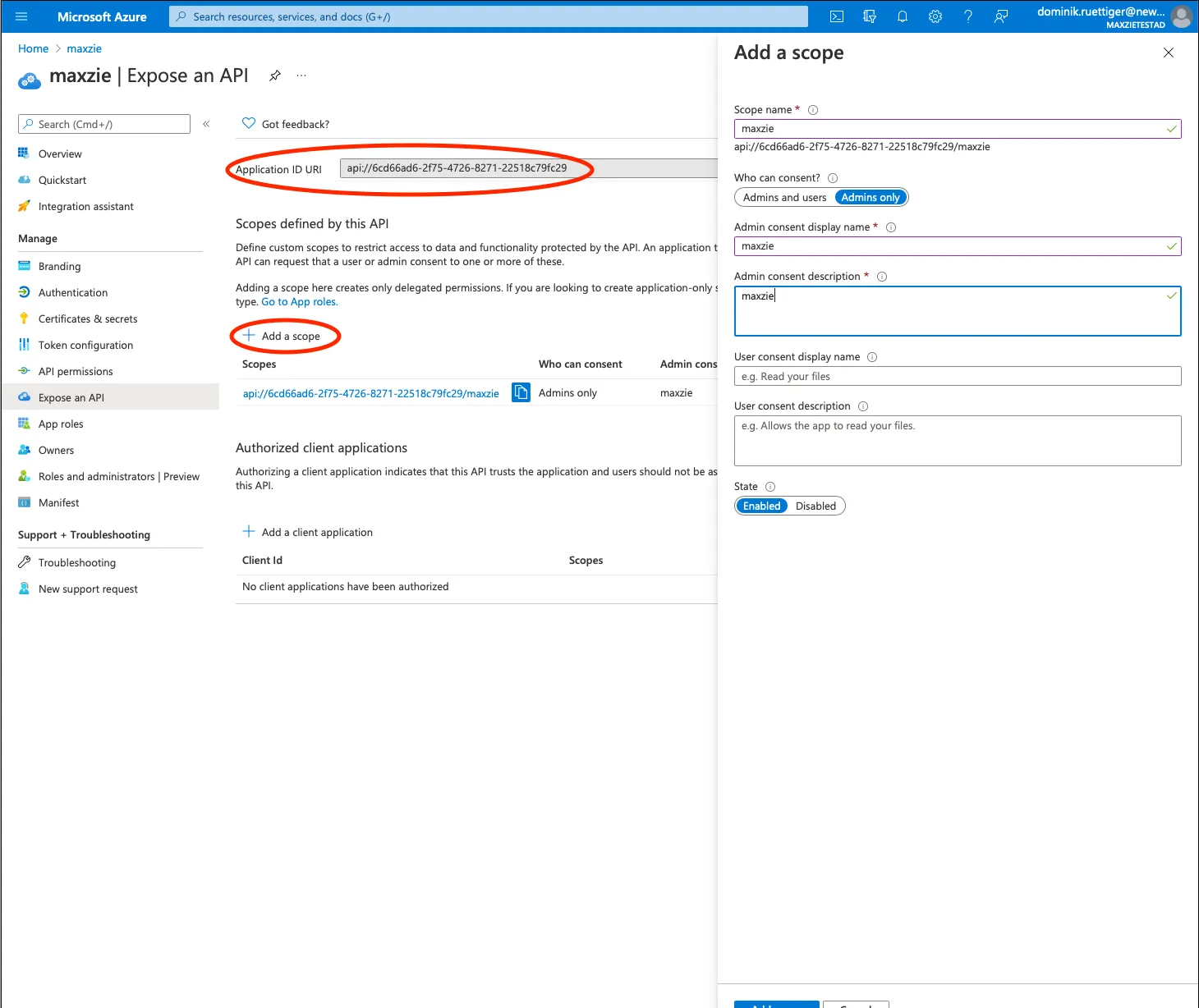
Afterwards, a new scope must be created on the Expose an API subpage (e.g. api://<APPLICATION_ID>/maxzie). To do
this, a new Application ID URI may need to be set (api://<APPLICATION_ID>).
No entries are required on the API permissions subpage.
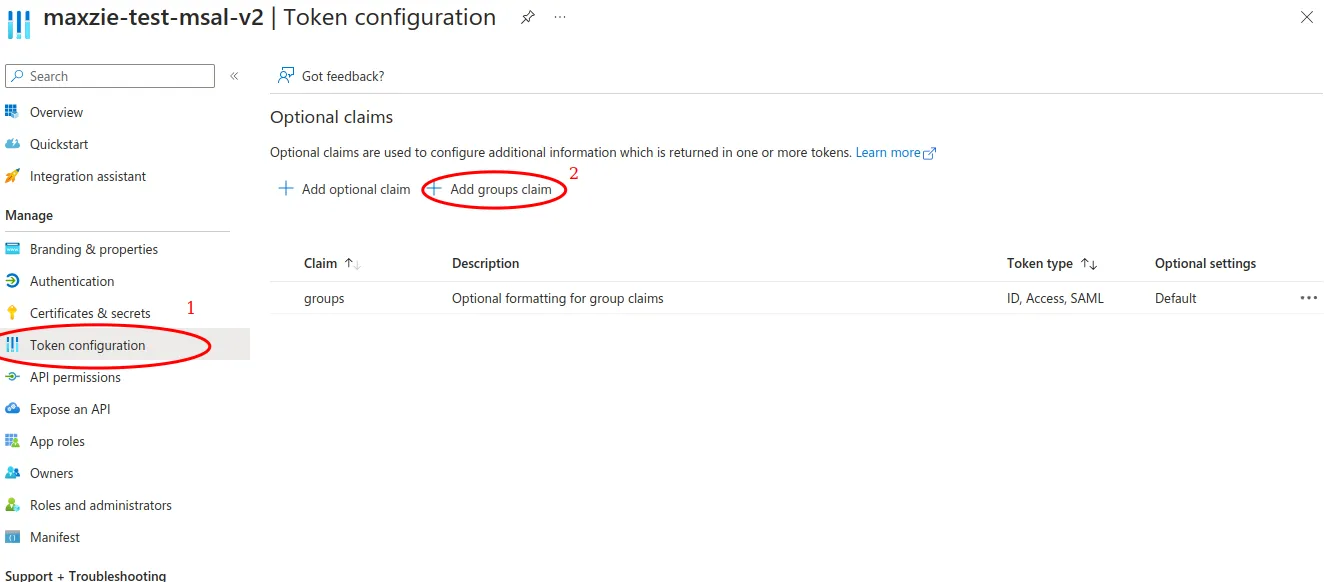
If access to maXzie is to be restricted via groups, a groups claim must also be added under Token configuration.
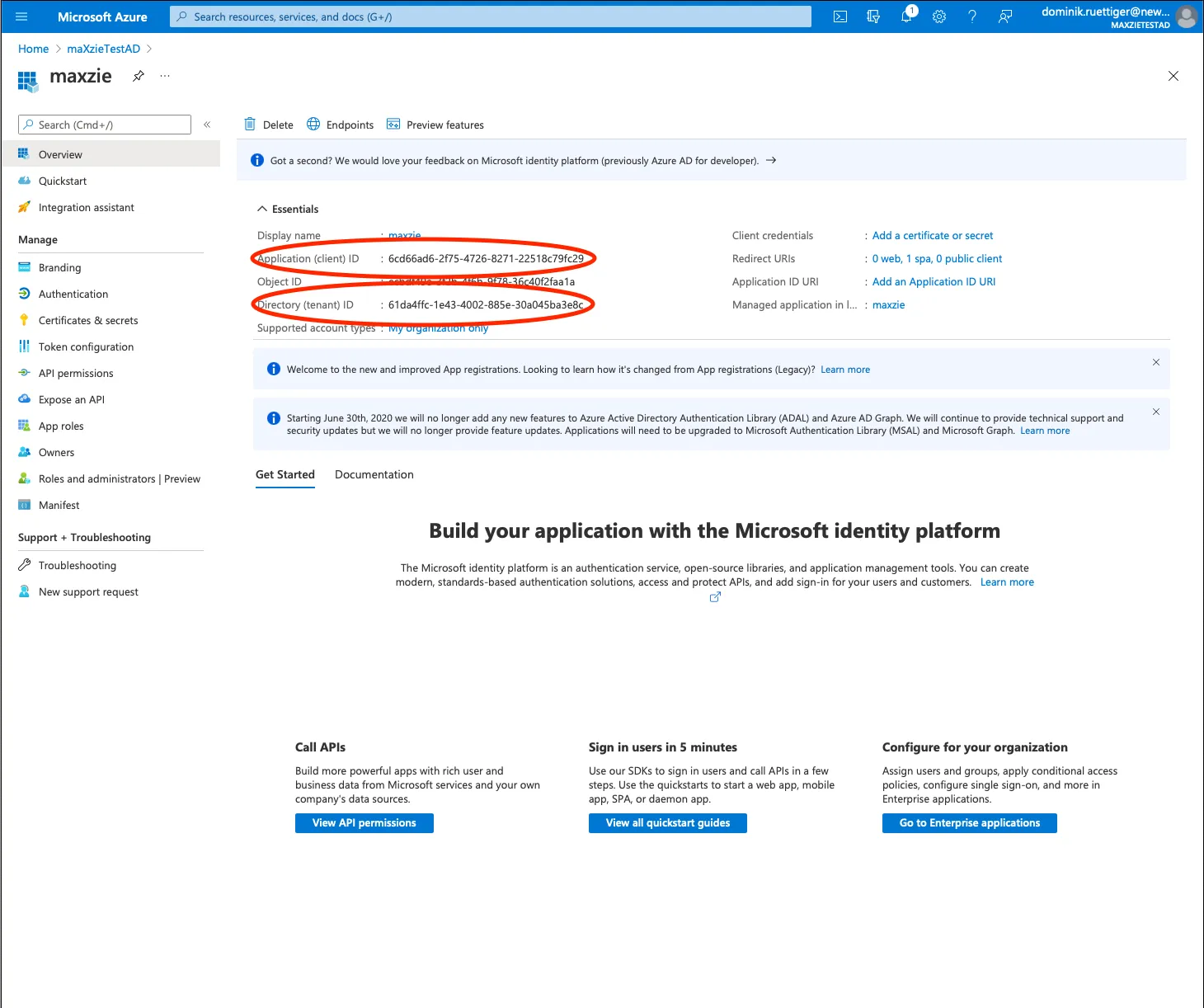
News Innovativ GmbH must store the following parameters in maXzie
- Application (client) ID:
<APPLICATION_ID> - Authority:
https://login.microsoftonline.com/<TENANT_ID> - Scope:
api://<APPLICATION_ID>/maxzie - JwksUri: mostly
https://login.microsoftonline.com/<TENANT_ID>/discovery/keys?appid=<APPLICATION_ID> - if applicable: names of the group(s) whose members have access to maXzie
and requests the necessary information from the customer.
The JwksUri can be queried with
https://login.microsoftonline.com/<TENANT_ID>/.well-known/openid-configuration?appid=<APPLICATION_ID> (field
jwks_uri).
In maXzie itself, a form field Login name can be filled out when creating an employee. For employees who should be able to log in to maXzie, the Entra ID user name must be specified here.
When an end user attempts to log in, maXzie checks whether the specified login name is configured in maXzie for an employee and whether authentication with Entra ID was successful. If necessary, an additional check is made to see whether the employee is a member of at least one of the approved AD groups. If the login is successful, the session for all authorization checks is linked to the employee in whose master data the login name used is entered as described.
LDAPS / Active Directory
Section titled “LDAPS / Active Directory”End users are authenticated using Windows Active Directory via LDAPS.
Windows domain DNS name is AD_DNS, Netbios name is AD_NETBIOS.
When creating an employee in maXzie, a login name form field can be filled out. For employees who should be able to log in to maXzie, the customer’s Windows domain user name must be entered here.
When an end user attempts to log in, maXzie checks whether the specified login name is configured in maXzie for an employee and passes the login data on to the Active Directory servers via LDAPS. If the login is successful, the session for all authorization checks is linked to the employee in whose master data the login name used is entered as described.