
Performance values
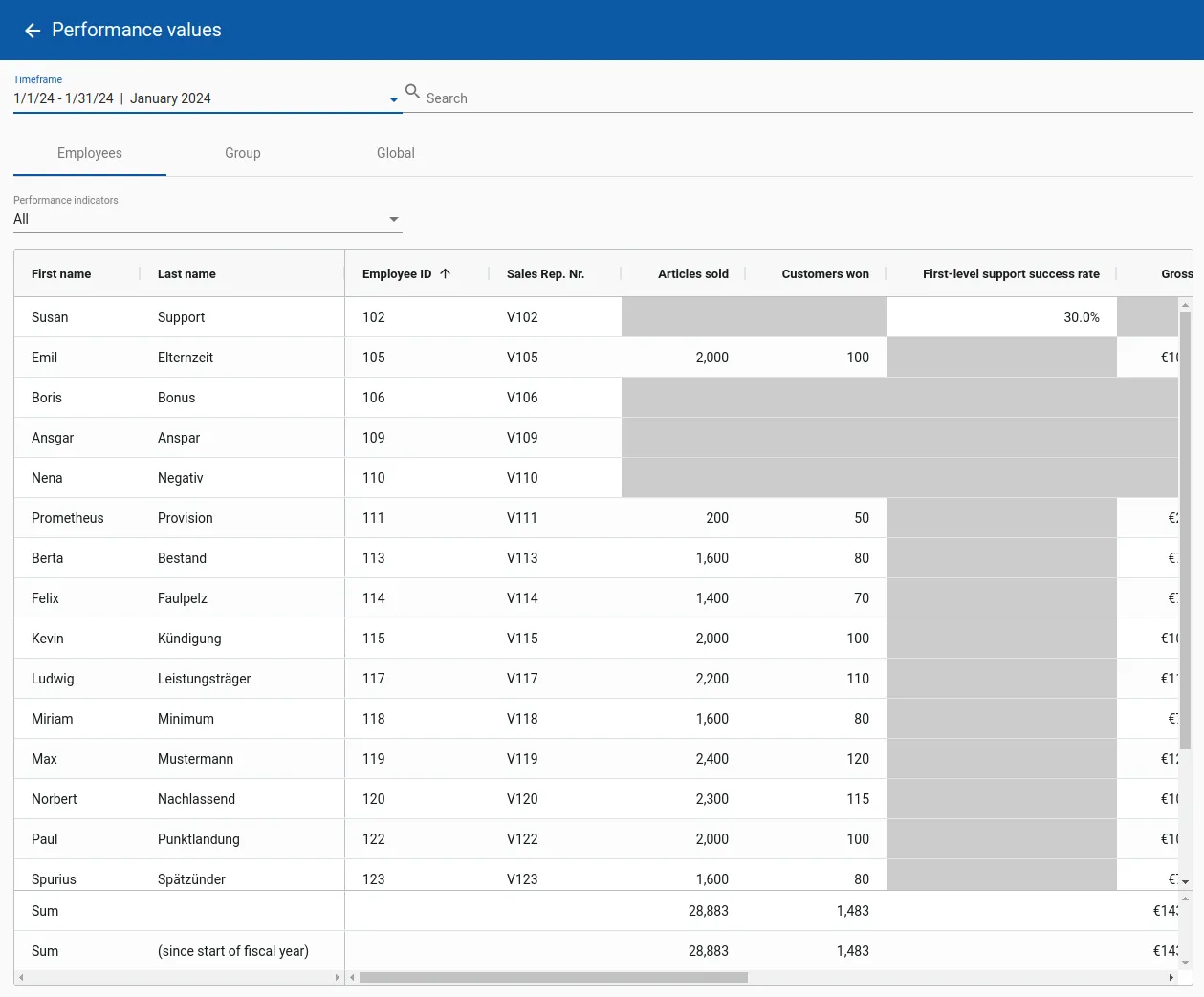
In the Performance values menu you can either view the values entered via the automatic interface(s) or - if no interface is available - enter them manually. E.g. for on-top targets for which there is no other recording option within the IT environment.
In the upper area you can select the period for which values should be entered. maXzie already tries to preselect the relevant time period. The required numbers can now be entered in tabular form in the three tabs Employees, Group and Global. Under the Employees tab you can find the individual actual values relating to an employee, under Group the actual values relating to a group, and under Global other global actual values.
No values need to be entered for cells with a gray background. Each table column offers the option of sorting by clicking on the heading. In addition, the view can be limited directly to a single performance indicator using the selection list above.